 alimama
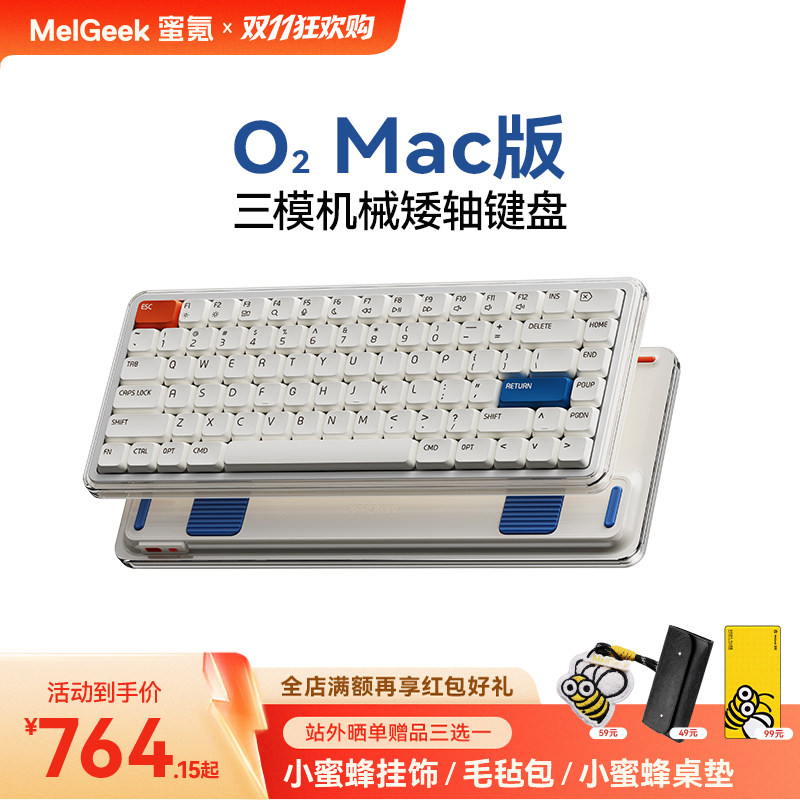
MelGeek O2 low-profile mechanical keyboard, Mac version, three ways to connect: check the layout and how you pair it before you buy
Images and product details come from third-party platforms and belong to their respective owners. They are shown for reference only.
alimama
RMB 1,248.00
This is a Taobao store based in mainland China. If your shipping address is outside mainland China, please confirm with the seller whether international shipping is available before purchasing.
Affiliate link — we may earn a commission at no extra cost to you.
About this product
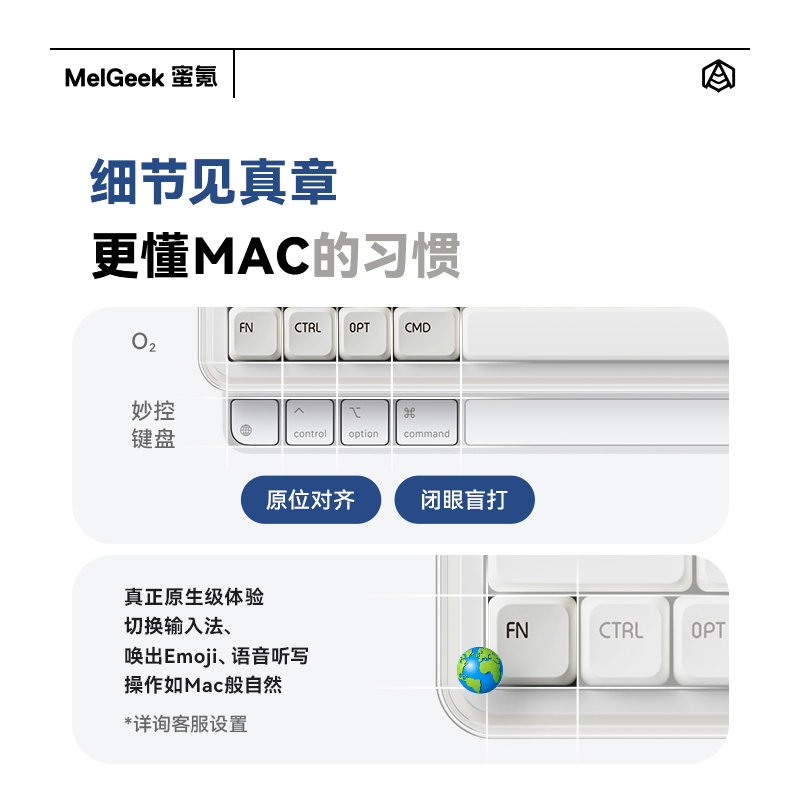
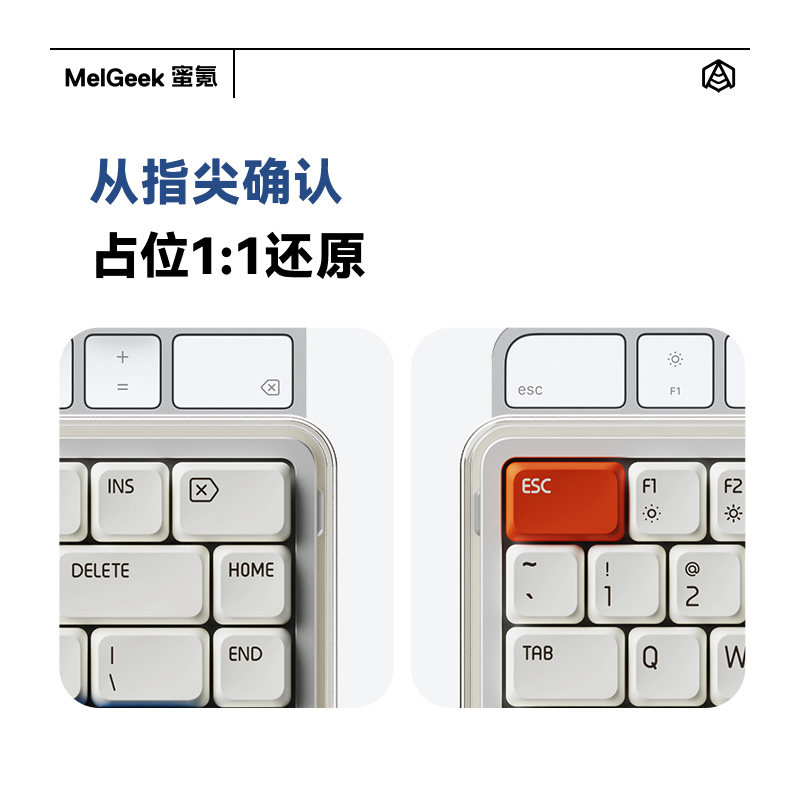
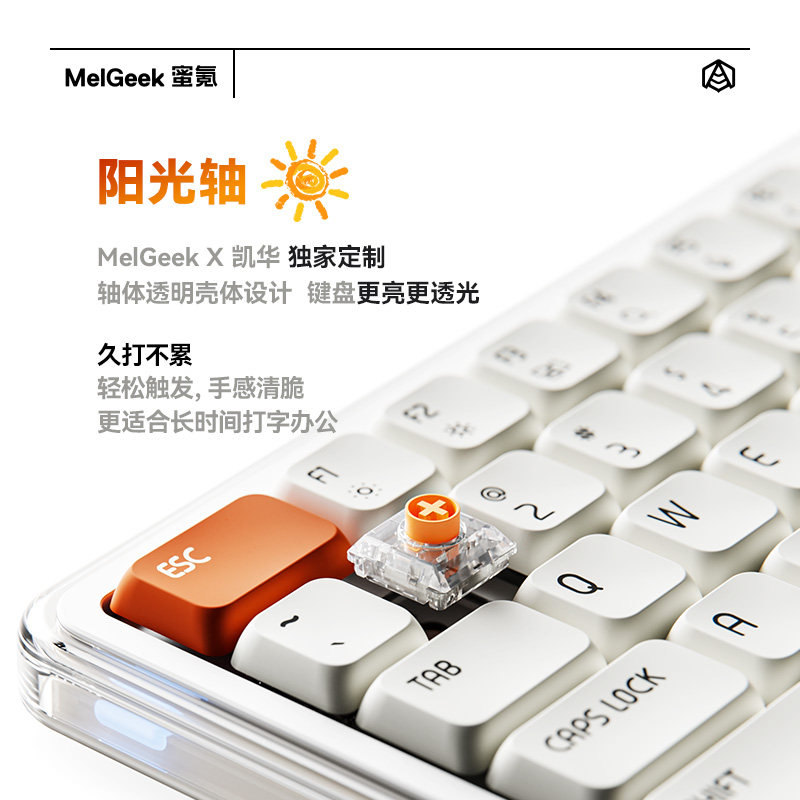
This is the Mac version of the MelGeek O2, a low-profile mechanical keyboard that connects over Bluetooth, a 2.4 GHz dongle or a cable. The Mac version matters for the key legends and the modifier row, so if you move between macOS and Windows, ask which of the two the seller is shipping and check that the layout matches the shortcuts you actually use. Low-profile switches sit closer to the desk than a standard mechanical board: travel is shorter and the keyboard is thin enough to carry, but ordinary keycaps will not fit it. Pairing works differently per mode, with Bluetooth needing the board in pairing state and a free slot, the dongle needing a spare USB-A port, and the cable as the fallback when the 2.4 GHz band is crowded. What it will not do is stand in for a full-size board with a number pad, and battery life, switch type and the exact layout are for the seller to confirm.
Product images
Pros & cons
Pros
- Three connection modes, so one board can serve a laptop, a desktop and a tablet
- Low-profile body stays thin and light enough to drop in a bag
- Mac legends and modifier row are the reason to pick this version rather than the Windows one
- Switching between paired devices is done from the board, without re-plugging a dongle
Cons
- Standard-height keycaps do not fit, so customising caps later is limited to low-profile sets
- No number pad, so heavy spreadsheet work will want a separate keypad
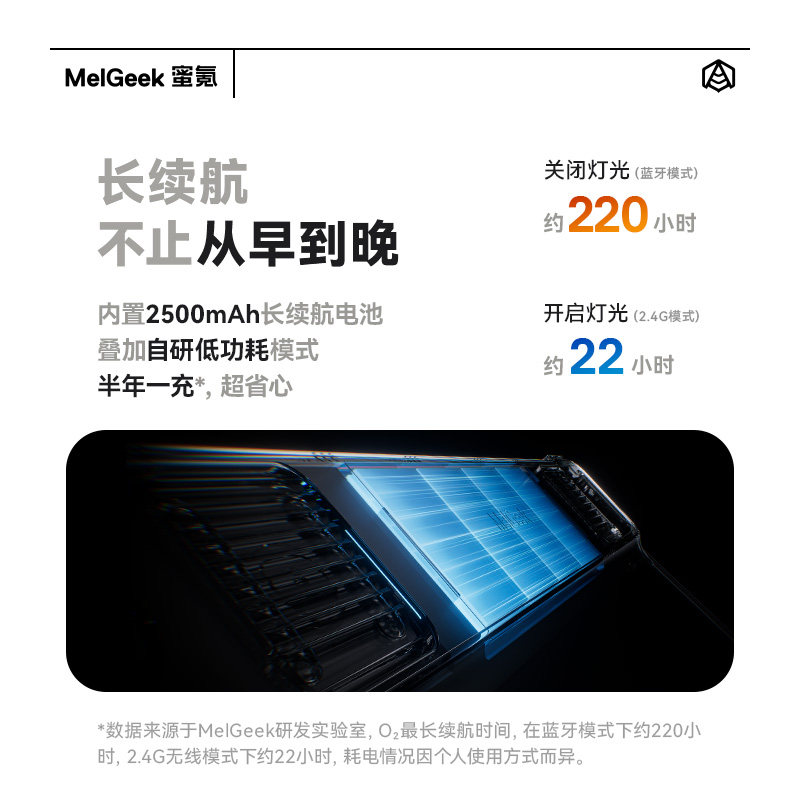
- Battery life, switch type and the exact layout are not listed here, ask the seller before paying