Tagged reviews

#Computer Components

Every review tagged “Computer Components” so you can compare the options side by side.

Products
SOYO B550M AM4 Motherboard, USB 3.2 / PCIe 3.0 / M.2 NVMe — build or revive a Ryzen PC; check BIOS support, RAM type and form factor first -52%
Computer & Office

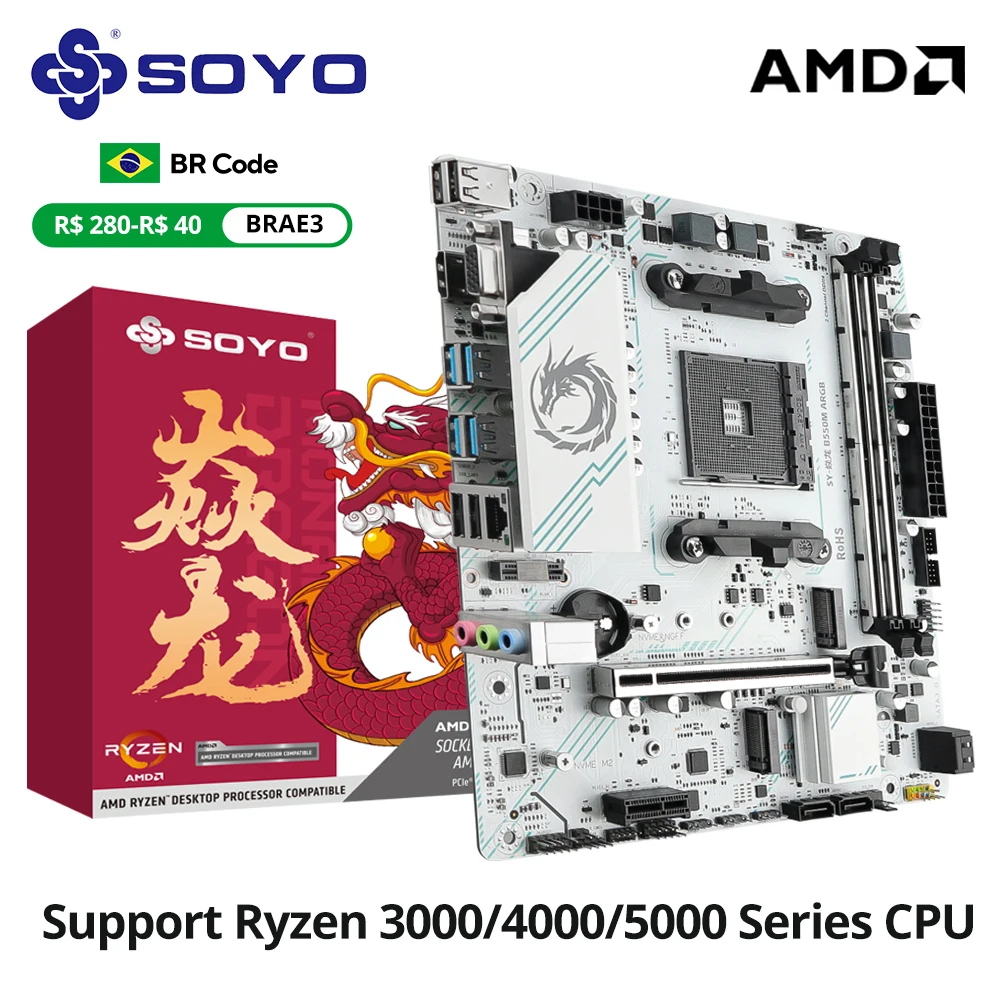
SOYO B550M AM4 Motherboard, USB 3.2 / PCIe 3.0 / M.2 NVMe — build or revive a Ryzen PC; check BIOS support, RAM type and form factor first

If you are building around a Ryzen CPU or replacing a dead AM4 board, this SOYO B550M is the platform part: an AM4 socket, USB 3.2, PCIe 3.0, an M.2 NVMe slot and dual-channel DDR4. It is listed as supporting the Ryzen 5700X, but B550 boards can ship with an older BIOS, and older firmware may not recognise a newer CPU, so ask the seller which BIOS version is loaded or plan on flashing it yourself. Before ordering, check three things: that your CPU is an AM4 part, that you have DDR4 rather than DDR5 memory, and that the board's form factor fits your case and power supply connectors. The title does not spell out the memory QVL or the full CPU support list, so confirm those rather than assuming.

USD 90.72 USD 189.01
View Details

Server Frozen and You're Miles Away? NanoKVM Streams HDMI and Mouse Control Over IP — What a Remote KVM Does for Headless Machines -50%
Computer & Office

Server Frozen and You're Miles Away? NanoKVM Streams HDMI and Mouse Control Over IP — What a Remote KVM Does for Headless Machines

This answers the worst remote-work moment: a headless server hangs, there is no monitor in the closet, remote desktop is dead along with the OS, and the only fix is a drive to the rack. The Sipeed NanoKVM belongs to the PiKVM family — a small board built around HDMI capture and network control, Raspberry Pi based per the listing — and what it buys you is access that survives a crashed system: you open a browser from anywhere, see the machine's HDMI output as the BIOS or a frozen boot does, and move its mouse and keyboard as if you were standing there. That is the essential difference from remote desktop: a KVM over IP works one level below the operating system, which is exactly when you need it. How to put it to work: connect the target's HDMI and a USB control cable to the KVM, put the KVM on your network, open its web interface from your laptop, and the distant machine appears on screen; for power switching, that typically means the ATX reset/power lines, and the listing does not state whether the required adapter or cable set is included — confirm before ordering. As a DIY piece it sits in the Raspberry Pi ecosystem, so expect community tooling and firmware updates rather than a closed box. Three things worth asking the seller: whether the ATX power-control accessory is included or sold separately; what exactly ships in the kit (cables, power supply, case); and which network setup it expects — LAN only, or reachable over the internet with your own arrangement. Set up once, and the drive to the rack becomes the exception, not the routine. 650 sold with a 98.0% positive rating.

USD 38.09 USD 76.18
View Details